
How to Use Your Website Care Plan
What is Help Geek & How Does It Work?
Think of Help Geek as your behind-the-scenes support team. Whether it’s updating text to reflect new offerings, replacing images to showcase fresh visuals, or adding engaging content like blog posts and podcast episodes, we take care of everything.
Help Geek Services
Text Updates
Keep your website copy clear and current by updating staff bios or changing business hours.
Photo Updates
Update your site with fresh images to highlight your latest offerings and keep your brand’s style consistent.
Add Blog Posts
Share new insights, updates, or announcements to keep your audience informed.
Podcast Updates
Easily integrate new episodes to keep listeners engaged and coming back for more.
Add Events
Keep your audience informed with updated events and calendars.
Add Listings
We organize and showcase what matters most, from job postings to real estate listings and more.
Help Geek guarantees the edits and updates will be complete in one business day.
For larger edits, completion may take more than one day, but we’ll provide an estimate upfront and keep you updated throughout the process.
How to Submit Help Geek Requests
Email Help Geek
You can email Help Geek anytime at helpgeek@rockcitydigital.com. Just tell us what you need updated or fixed. Feel free to include links, images, or anything else that helps explain.
Once we get your email, we’ll add it to our list and get started. If we have questions, we’ll follow up with you!
Submit Updates Through the Feedback Tool
The feedback tool lets you point out exactly what needs to be changed—right on your website. Just click, leave a quick note, and it sends everything to us automatically.
It’s fast, easy, and there’s no need to write a long explanation. We’ll see what you’re seeing and take care of it from there.
Steps for Submitting Your Text and Photo Request through the Feedback Tool
STEP 1
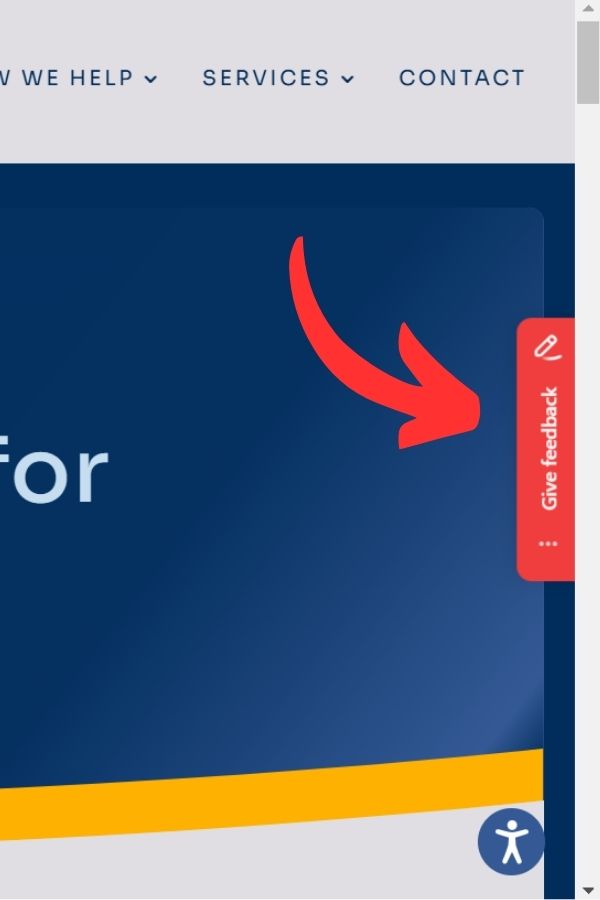
Pulling up the feedback tool:
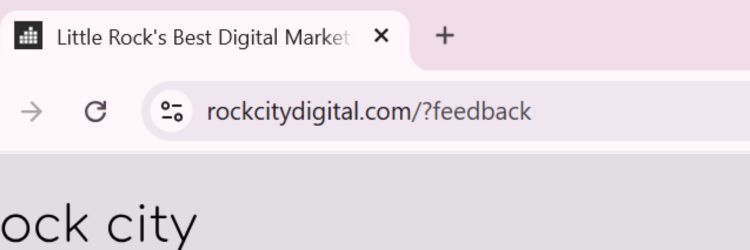
- Open your website in any web browser
- Add /?feedback to the end of your website’s URL in the address bar
- This will launch the feedback tool, which will allow you to mark the areas that need updating directly on your site.

STEP 2
Giving Feedback
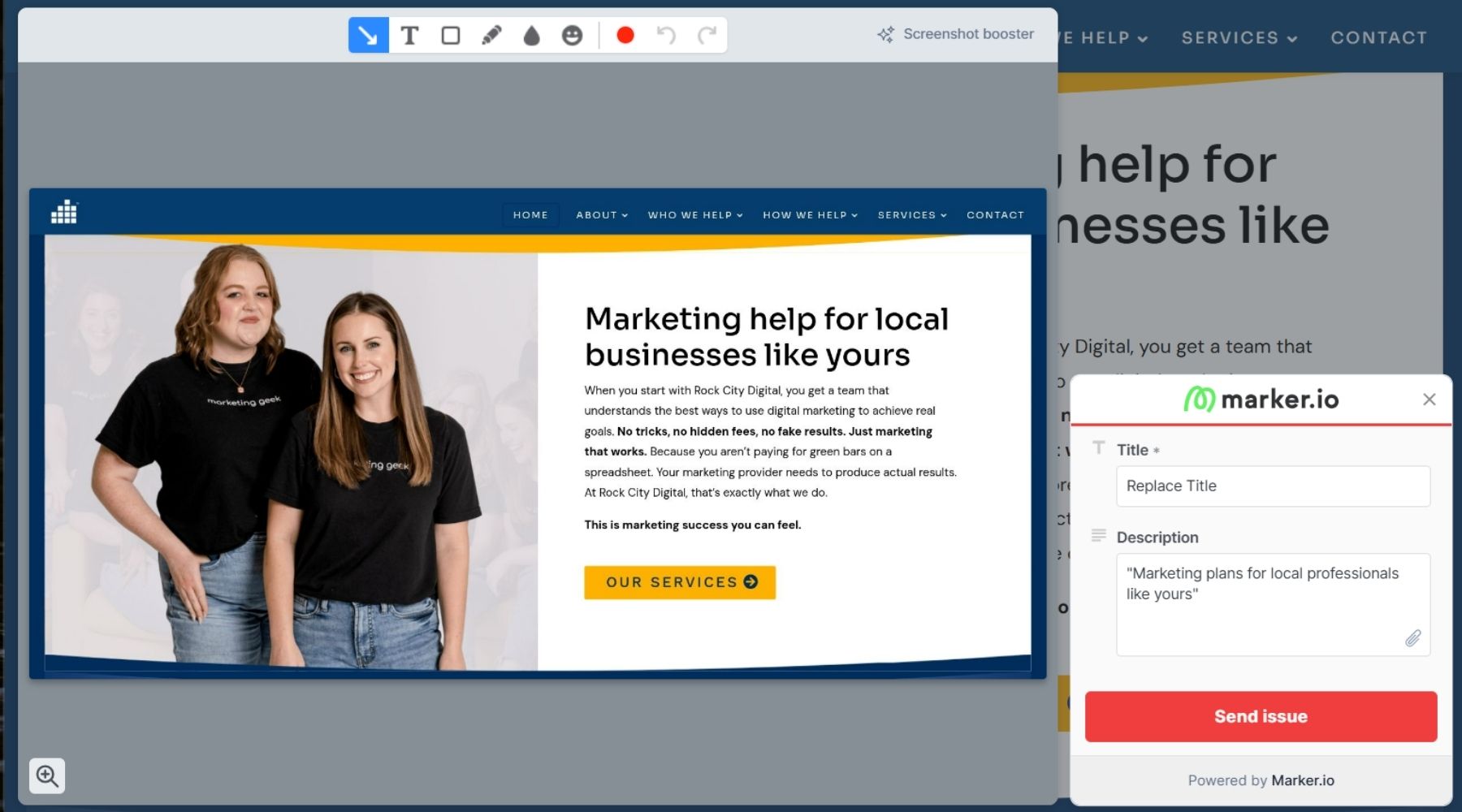
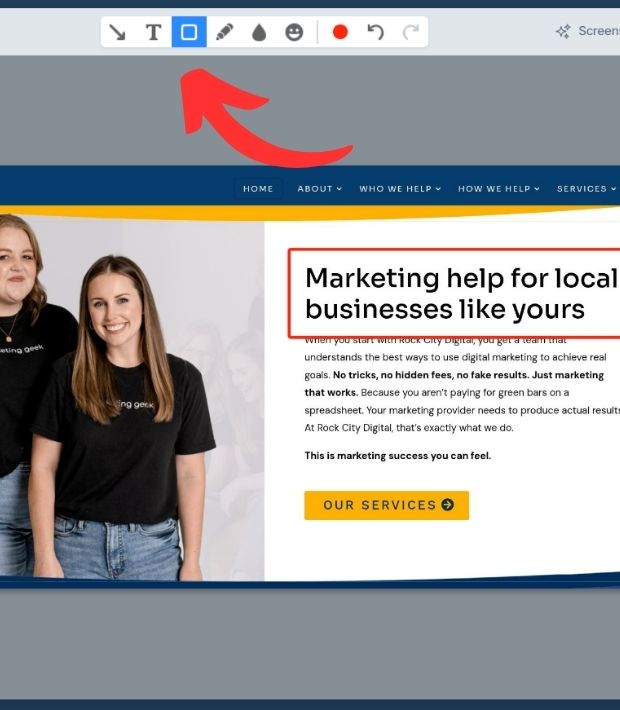
- Once the feedback tool is open, click on the text or image you want to change, and a menu will appear, allowing you to mark the section.
- You can click and drag to highlight text or click on an image to point out which visuals need to be updated.
- If there are multiple areas that need attention, you can continue selecting them one by one. This allows us to quickly identify and understand which parts of your site require updates.

STEP 3
Adding Comments
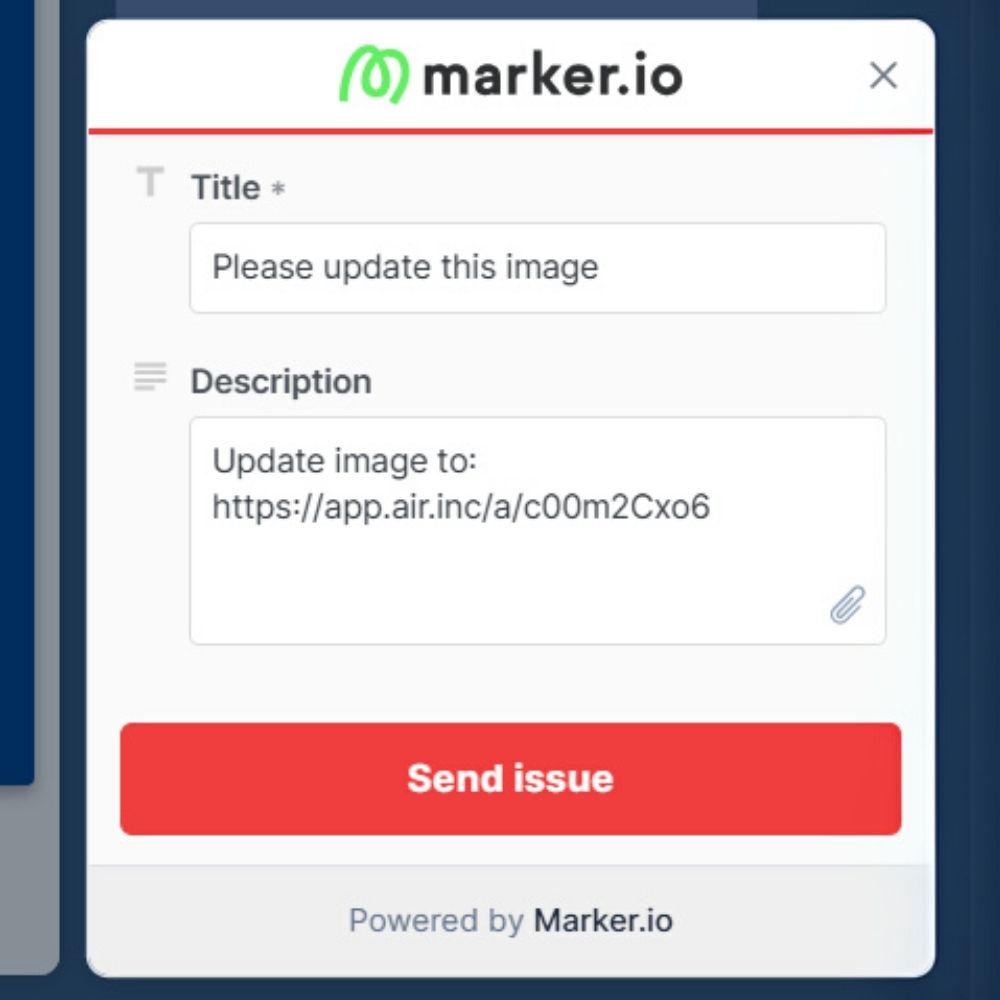
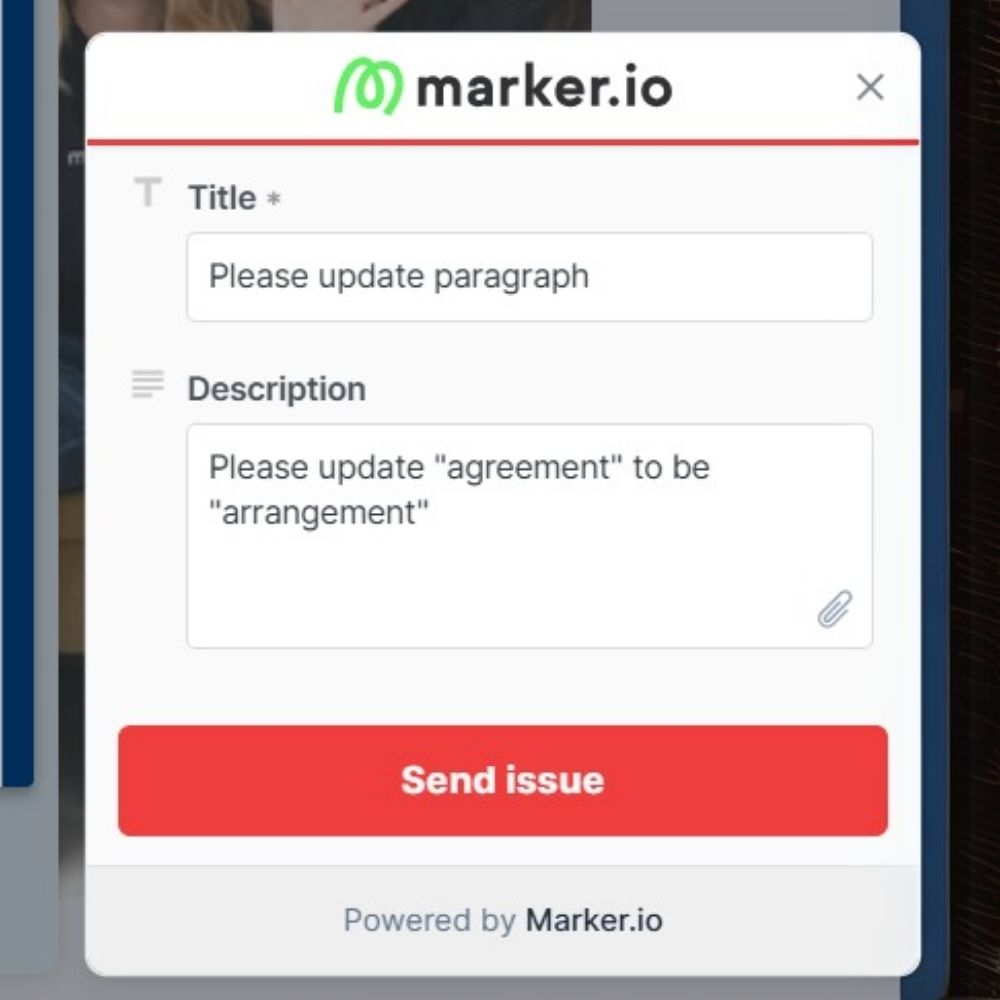
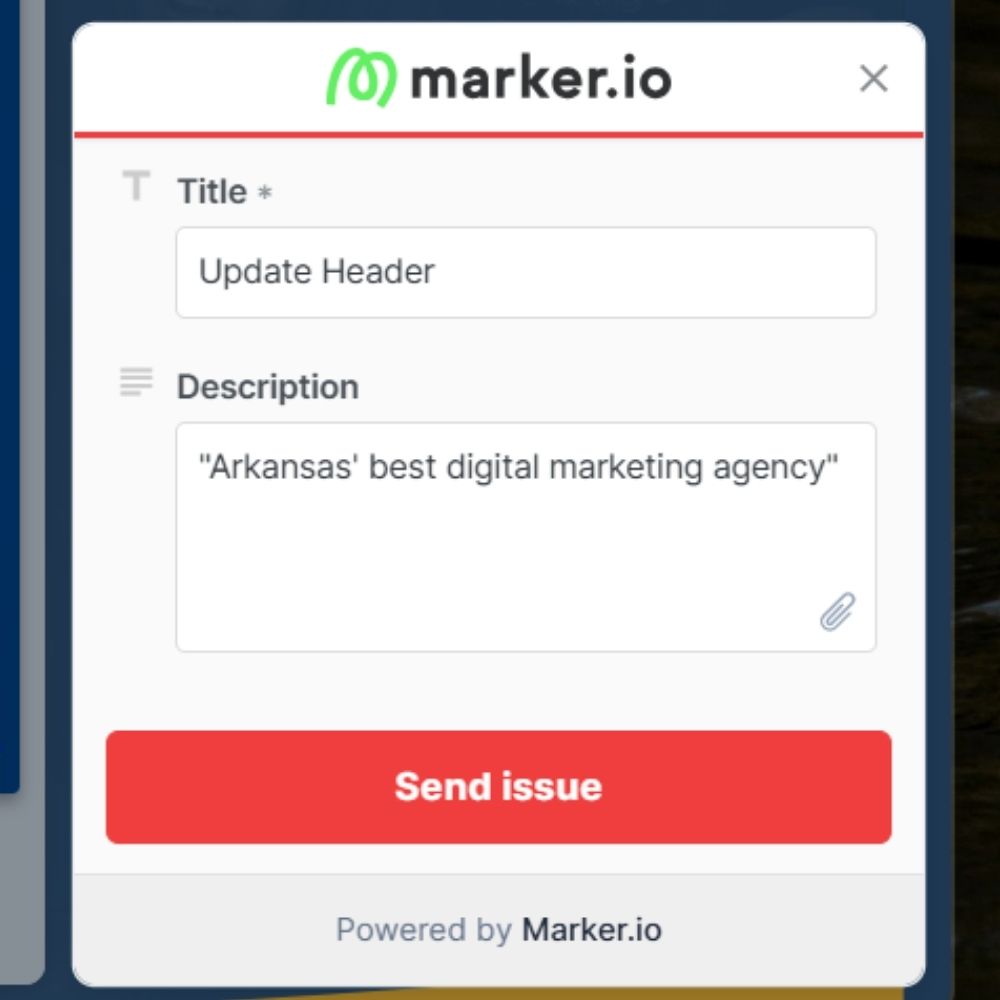
- After you’ve highlighted or marked an area, you can add a comment explaining the changes you’d like us to make.
- Text updates: you can type the exact wording or explain what needs to be adjusted (e.g., spelling corrections, sentence changes).
- Photo updates: describe which image needs replacing or what kind of new image you’d like to use.
- You can also include specific instructions for layout changes or anything else that needs attention.
STEP 4
Send It Off!
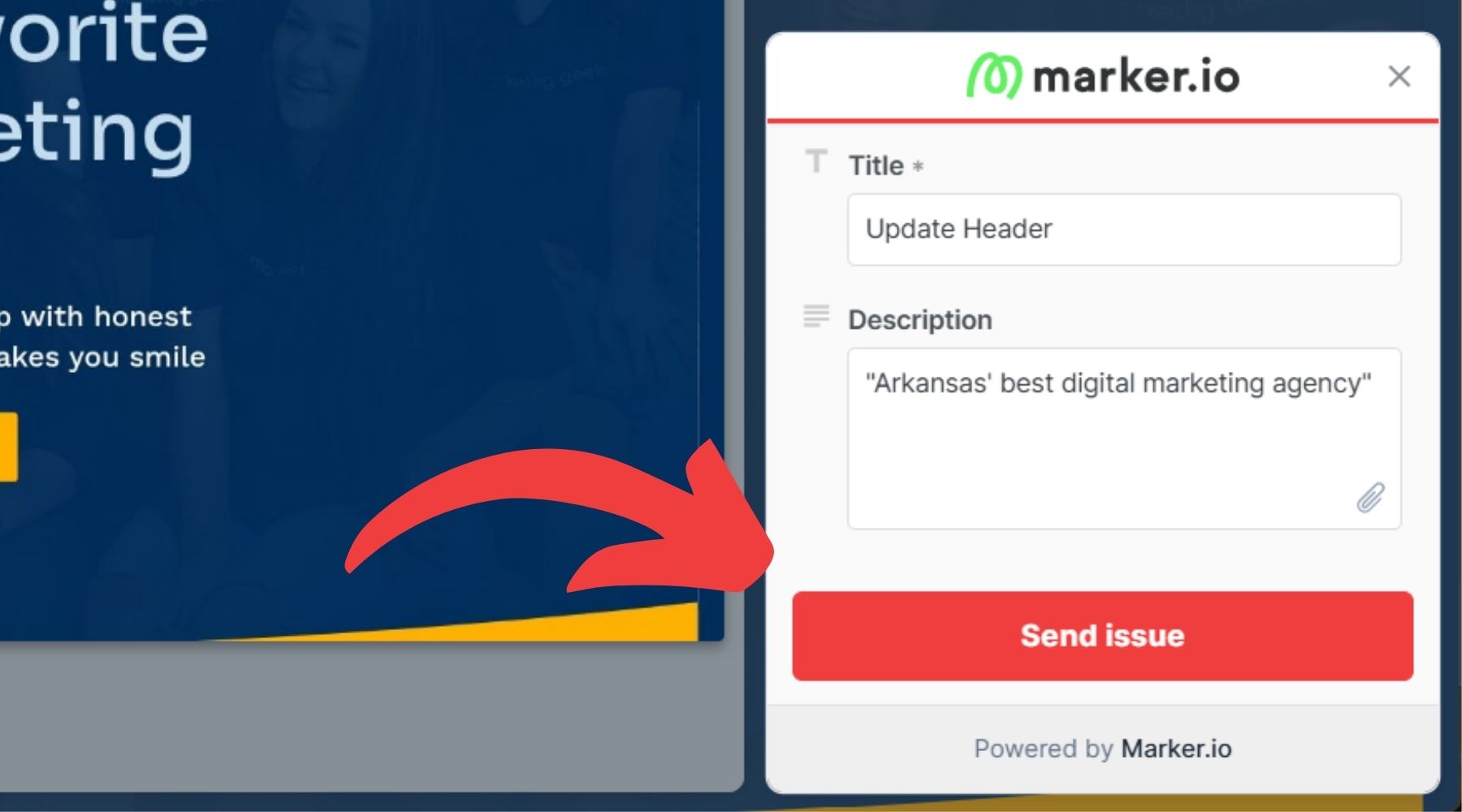
- Once you’ve finished adding your updates, click the send button to submit your feedback.
- The feedback tool will send us all the details of your request, and we’ll begin working on it right away.
- Rock City Digital’s Help Geek will ensure your site is updated accurately and efficiently. You don’t have to do anything else, we’ve got it covered!
Frequently Asked Help Geek Questions
Here are answers to some common questions about using Help Geek. We’ve designed Help Geek to be simple and efficient, so you can easily keep your website up-to-date. If you have any other questions, feel free to reach out to us at helpgeek@rockcitydigital.com
How long does it take to complete my website updates?
The time it takes to complete updates depends on the complexity and scope of the changes. Simple text or photo updates are usually completed within 1 business day, while larger updates may take longer. We’ll keep you updated throughout the process.
Can I request changes as often as I need?
Yes, you can submit update requests as often as necessary. Help Geek is designed to give you ongoing support, ensuring your website remains fresh and up-to-date whenever you need it.
What happens if I make an error in my feedback?
If you notice an error in your feedback after submitting it, simply resubmit the request with the correct details. We’ll review and make the necessary changes right away. You can also email us at helpgeek@rockcitydigital.com for any urgent corrections.
Is there a limit to the number of updates I can request each month?
No! Help Geek offers unlimited updates as part of your Website Care Plan.
What happens if I want to make a major change or a change that's not included in my website care plan?
Yes, we’re happy to help you with any changes you need. For work outside your care plan, we’ll schedule a brief call to discuss the project, provide a cost estimate, and send you a proposal.
Examples of Help Geek Services
BEFORE

AFTER

Text Updates
Help Geek updates website text to keep it clear and accurate.
- Update staff bios
- Improve sentence structure
- Change business hours
Photo Updates
Help Geek updates website images to keep your content fresh and relevant.
- Upload your own photos or choose from a selection of professional visuals.
- Showcase new products, services, or team members with updated images.
- Ensure your site’s visuals stay aligned with your brand’s style.
BEFORE

AFTER

Do You Need to Add a Blog Post or Update Your Podcast?
To add any blog post or podcast episodes, simply email Help Geek at helpgeek@rockcitydigital.com, and Rock City Digital will take care of the rest!
Do You Need to Add an Upcoming Event or New Listing?
To add any upcoming events, update calendars, job postings, or real estate listings, just email Help Geek at helpgeek@rockcitydigital.com, and we’ll take care of everything for you!
Understanding Help Geek: Services, Pricing, and Support

Reporting Issues
If you encounter bugs or problems, we’re here to fix them quickly. Here’s how to let us know:
- Submit a Support Ticket – Email us with details of the issue.
- Describe the Problem – Include screenshots or examples to help us understand and resolve it faster.

Adding Pages or Features
Need to expand your website? Contact us for a detailed estimate tailored to your needs!

Out-of-Scope Requests
For work outside your standard agreement let us know what you’re looking for, and we’ll provide a estimate for how long the request would take to complete along with pricing

Website Refreshes
We specialize in revamping entire websites to align with your goals and modern standards. Reach out for a consultation and proposal.
When in Doubt, Just Ask
Not sure what’s possible or where to start? Email us anytime, and we’ll guide you! No question is too small.

